Unity UI Toolkit vs uGUI — Which UI System is Better?

Unity has 2 Main UI Systems for Creating User Interfaces that compete: UI Toolkit vs. uGUI. Although UI Toolkit has been in development for many years, uGUI remains widely used by Unity Developers. Recent Polls and Discussions on Social Media also show strong developer preference for uGUI.
In this tutorial, we’ll look at the key differences between uGUI and UI Toolkit, examine what developers say about both systems, and explore their strengths, limitations, and typical use cases.
Recommended Unity Assets: uGUI Bundle and UI Toolkit Bundle.
Unity UI Toolkit vs uGUI — Feedback and Preferences
Feedback from Unity Developers shows that the choice between uGUI and UI Toolkit often depends on the project’s workflow, team, and type of UI rather than on a single technical advantage.
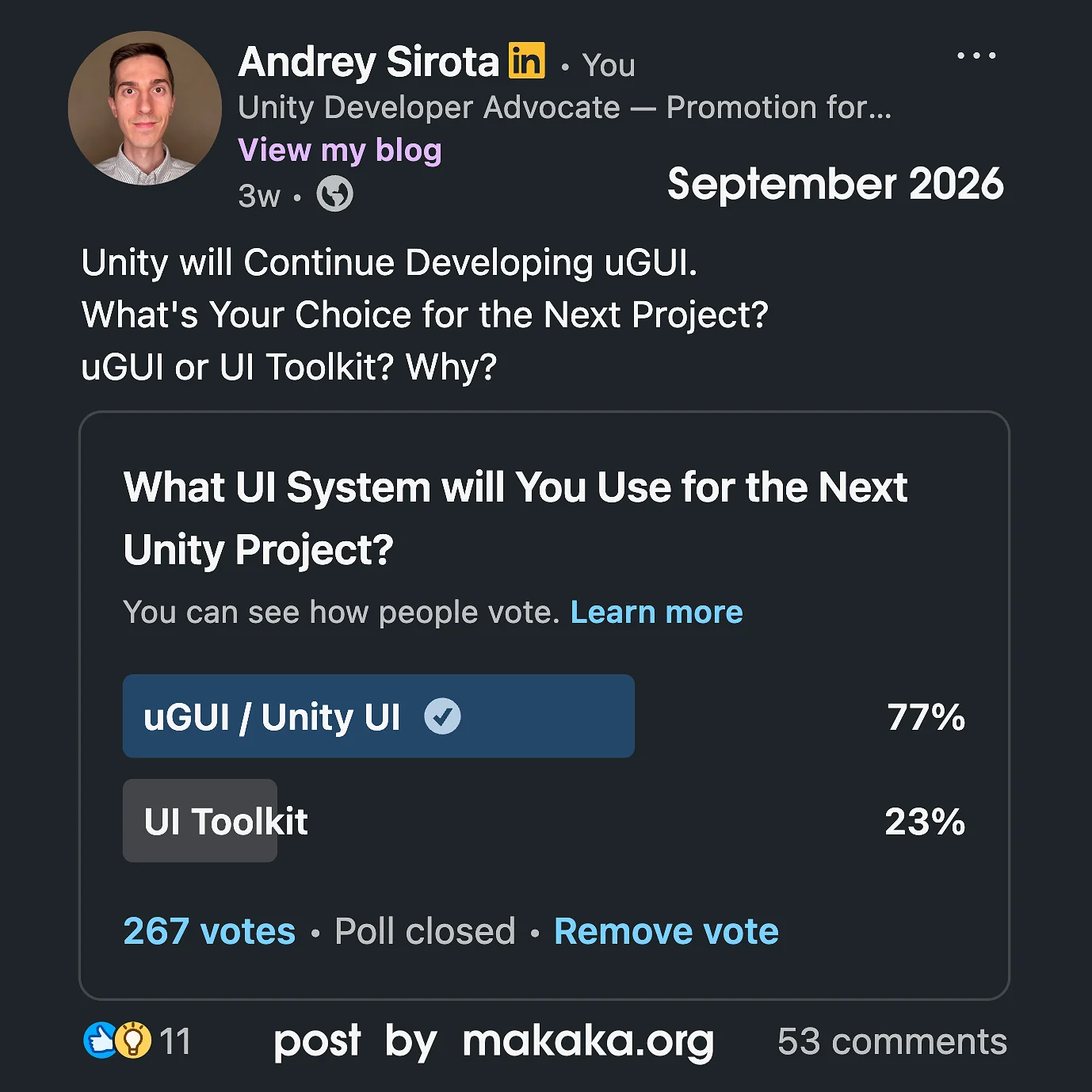
The results above are from my LinkedIn poll (September 2026) among Unity Developers regarding their preference show that 77% of the 267 respondents prefer uGUI, while 23% chose UI Toolkit.
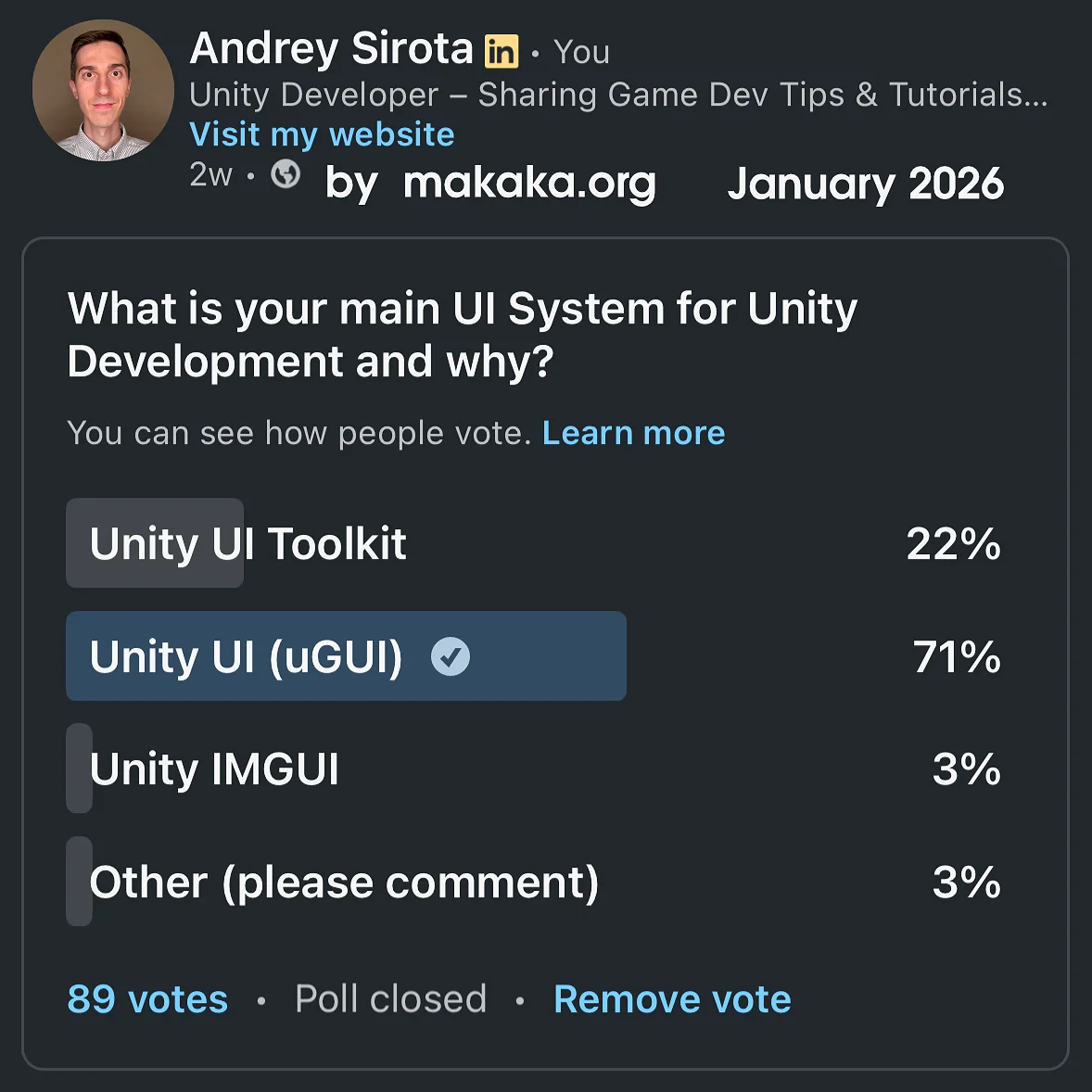
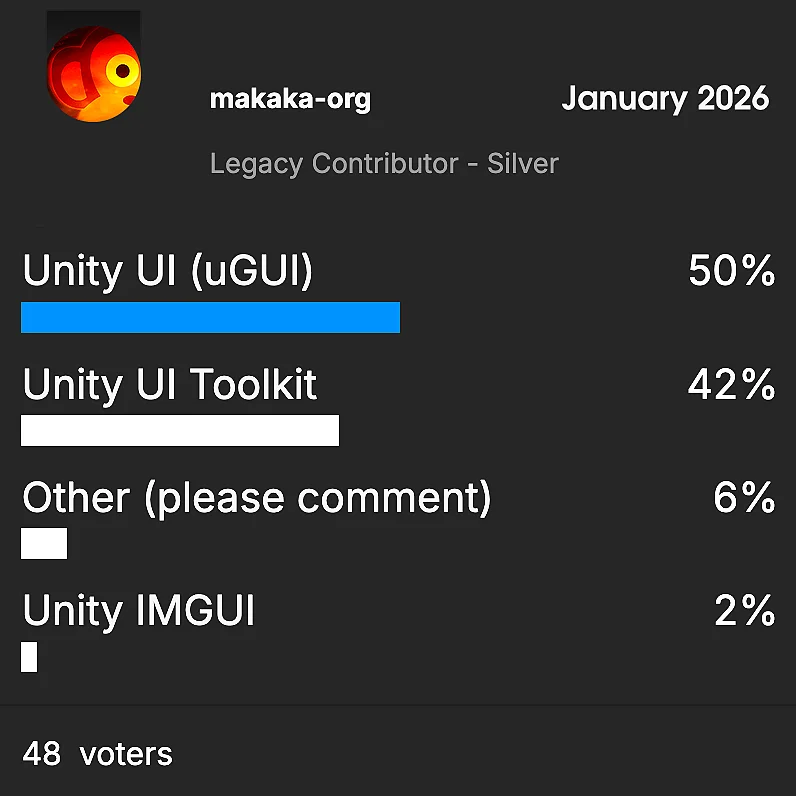
The results above were the same in my LinkedIn poll from January 2026 (on the right). However, they differ from what users say on Unity Discussions (on the left).
uGUI Provides a Simple and Familiar Workflow
Many Developers prefer uGUI because of its straightforward, visual workflow. Working with GameObjects, Prefabs, and the Scene view feels natural for Game Development and lets developers focus on creating UI instead of learning an additional system.
Several comments from the Poll also highlighted a broader preference for tools that are simple and proven. Newer technology is NOT automatically considered better when an existing tool already works well for the task.
uGUI is widely appreciated because it has been used in production for years and covers most common Game Requirements of User Interface. Developers mentioned its battle-tested nature as one of the main reasons they continue to use it.
At the same time, some developers pointed out that uGUI can become difficult to optimize. Hidden Canvas rebuilds and other performance issues can make it surprisingly easy to introduce FPS problems in complex interfaces.
A recurring reason for choosing uGUI is that developers already have features and workflows they rely on. Convenient World-Space or Screen-Space UI, Visual Effects, and other established uGUI capabilities can be important for game projects.
UI Toolkit continues to evolve, but differences in available features and workflow can still influence the decision.
UI Toolkit is Better for Complex UI and Web Developers
UI Toolkit received positive feedback from developers working primarily on Interface-Heavy projects. Its structure can be convenient for building complete UI screens without managing large numbers of GameObjects and Prefabs.
Developers also mentioned procedural UI (e.g., Color Picker) as an area where UI Toolkit can be particularly convenient.
The comments suggest that UI Toolkit and uGUI can feel very different depending on a developer’s background. Programmers who are accustomed to Unity’s GameObject-based workflow often prefer uGUI, while developers with Web Development or CSS experience may find UI Toolkit more intuitive.
This difference is especially noticeable between teams where programmers and UI/UX designers have different workflows and expectations.
I could use UI Toolkit, because an HTML/CSS-like approach is also not a problem for me (I’m not a web developer, but I own this website). However, I like uGUI because it’s simpler to get started with.
UI Toolkit is often perceived as a Better Fit for Application-style interfaces (than Games) and projects where structured UI screens are the primary focus. This distinction is becoming less clear as Unity expands UI Toolkit’s capabilities — Unity 6.7 LTS introduces One consistent workflow across VisualElements (UITK) and GameObjects that allows you In-Scene Authoring (using the same Hierarchy window) and Keyframe Animation fully integrated into the Animation window.
AI and UI Development
An interesting theme in the feedback is the growing role of AI-assisted development. Some developers reported that LLMs work particularly well with UI Toolkit because its UXML/USS structure is more code-like and easier for AI tools to understand than uGUI.
Future of UI Systems in Unity
Rather than completely replacing one system with another, some developers see value in having both options available. The feedback shows that developers have different requirements depending on their project, team, experience, and workflow. For many, the ability to choose between a GameObject-based workflow and a more structured UI system is more important than having a single universal solution.
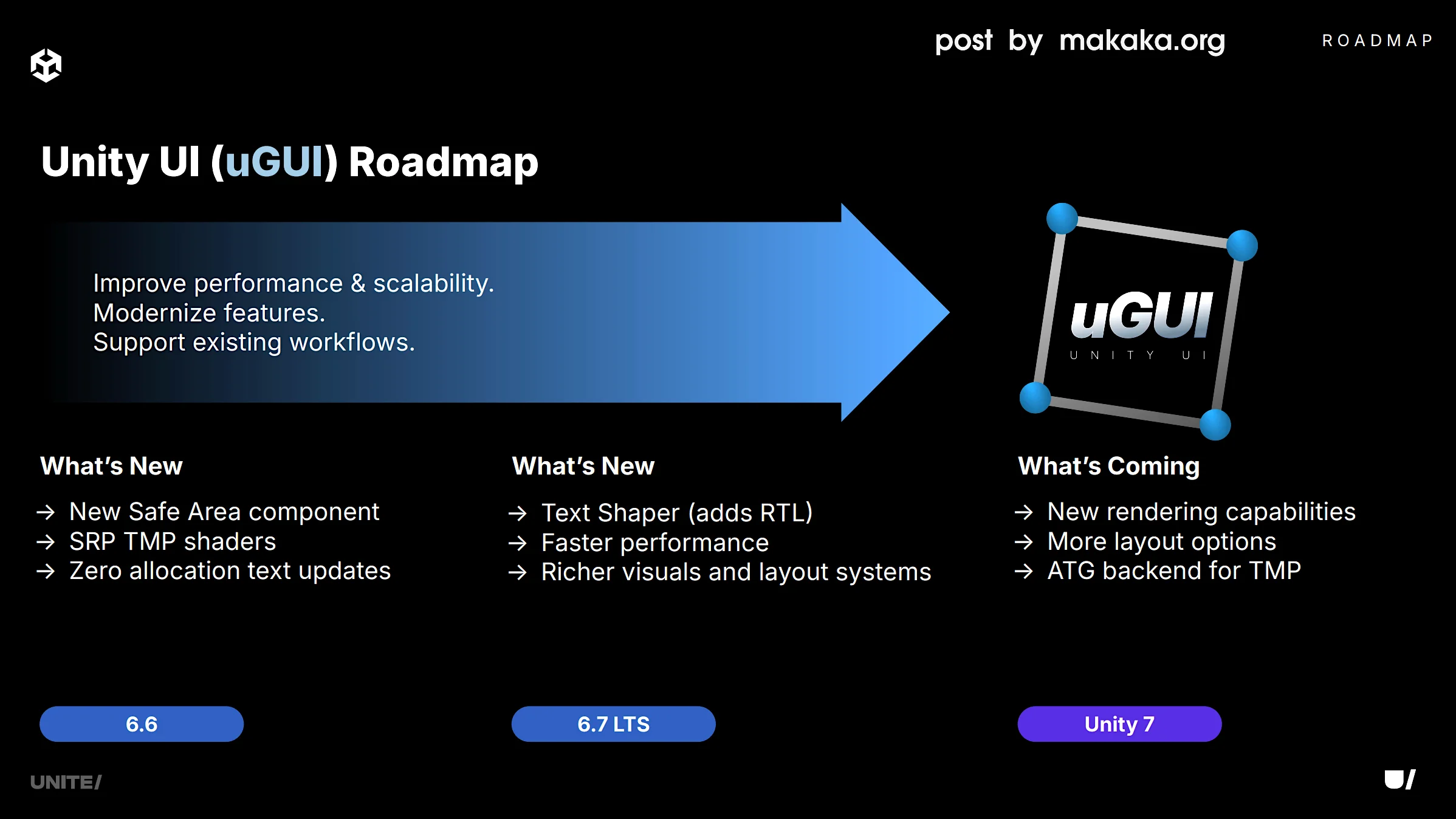
So, the Unity UI Toolkit vs. uGUI battle is no longer as relevant, because Unity announced in 2026 at the Unite conference that both systems will continue to be developed alongside each other. We have a chance now to get all the uGUI bugs fixed while also introducing new features!