Unity 6.6 or 6.3 LTS — What Is the Best Unity Version Recommended for Production Use?


Several Unity Versions are supported in parallel at the same time. But which Unity Version is the best choice right now? In this tutorial, you’ll learn how to select the Best Unity Version that is most suitable for your project.
What is the Best Unity Version?
Unity LTS (Long-Term Support) versions have always been recommended for production use, but the Unity 6 release cycle changes that paradigm.
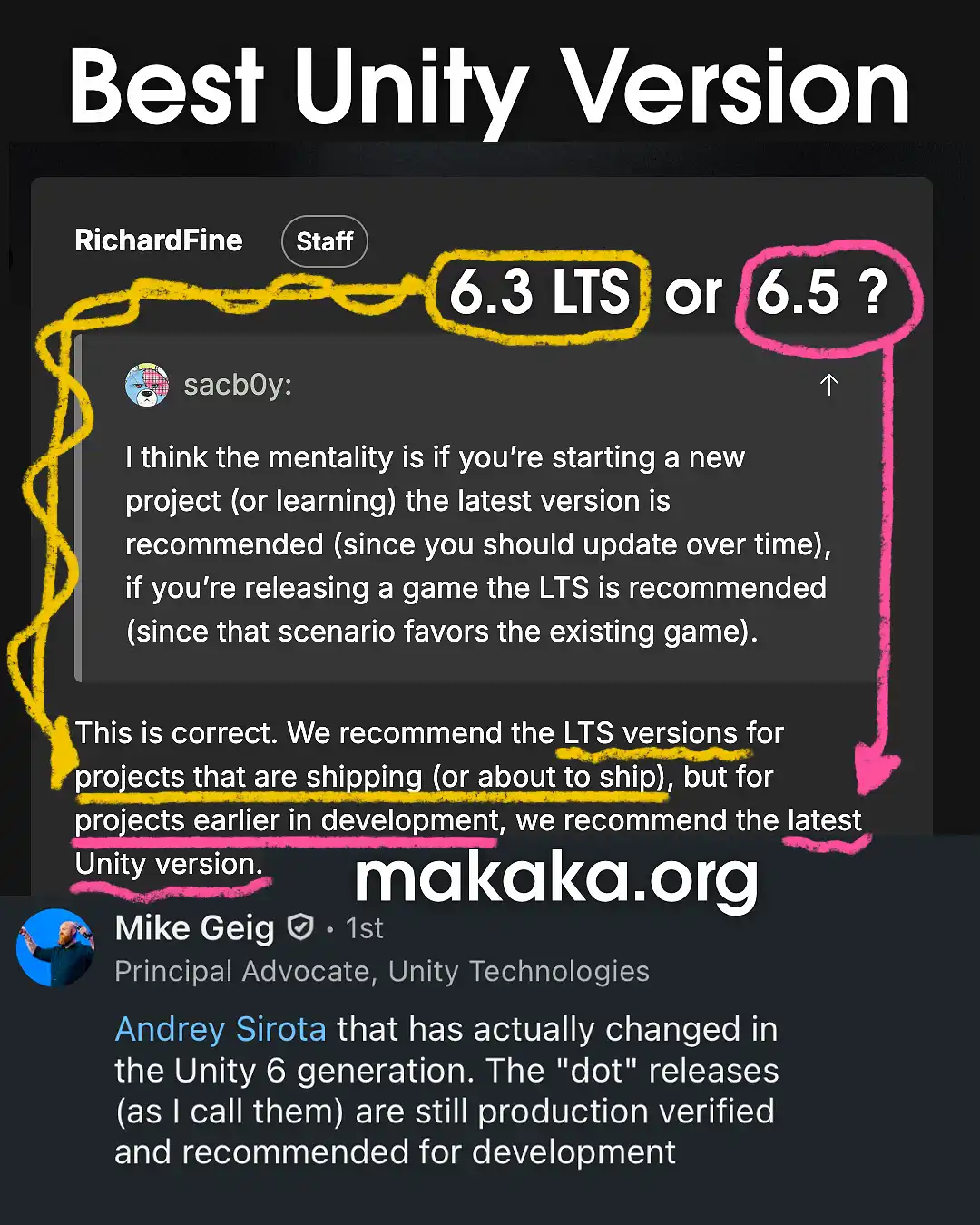
We have 2 official comments from Unity Staff:
- Use an LTS version, such as 6.3 or 6.7 LTS, for projects that are in production or about to ship.
- Use Supported Updates, such as 6.5 or 6.6, for New Projects. These Versions are still production verified (when they are not in Alpha/Beta) and recommended for development as Unity Hub says this year.
I personally prefer LTS versions for long-term development because every Unity version upgrade has always been a challenge. So, LTS releases are the Best Unity Versions for me and My Unity Assets.
Jumping between Patches like 6000.3.17 → 6000.3.18 usually aren’t a big challenge, although they can still break something. If you find a patch that works well for your specific project, don’t update until game release 😅

Unity LTS Releases and Support Periods
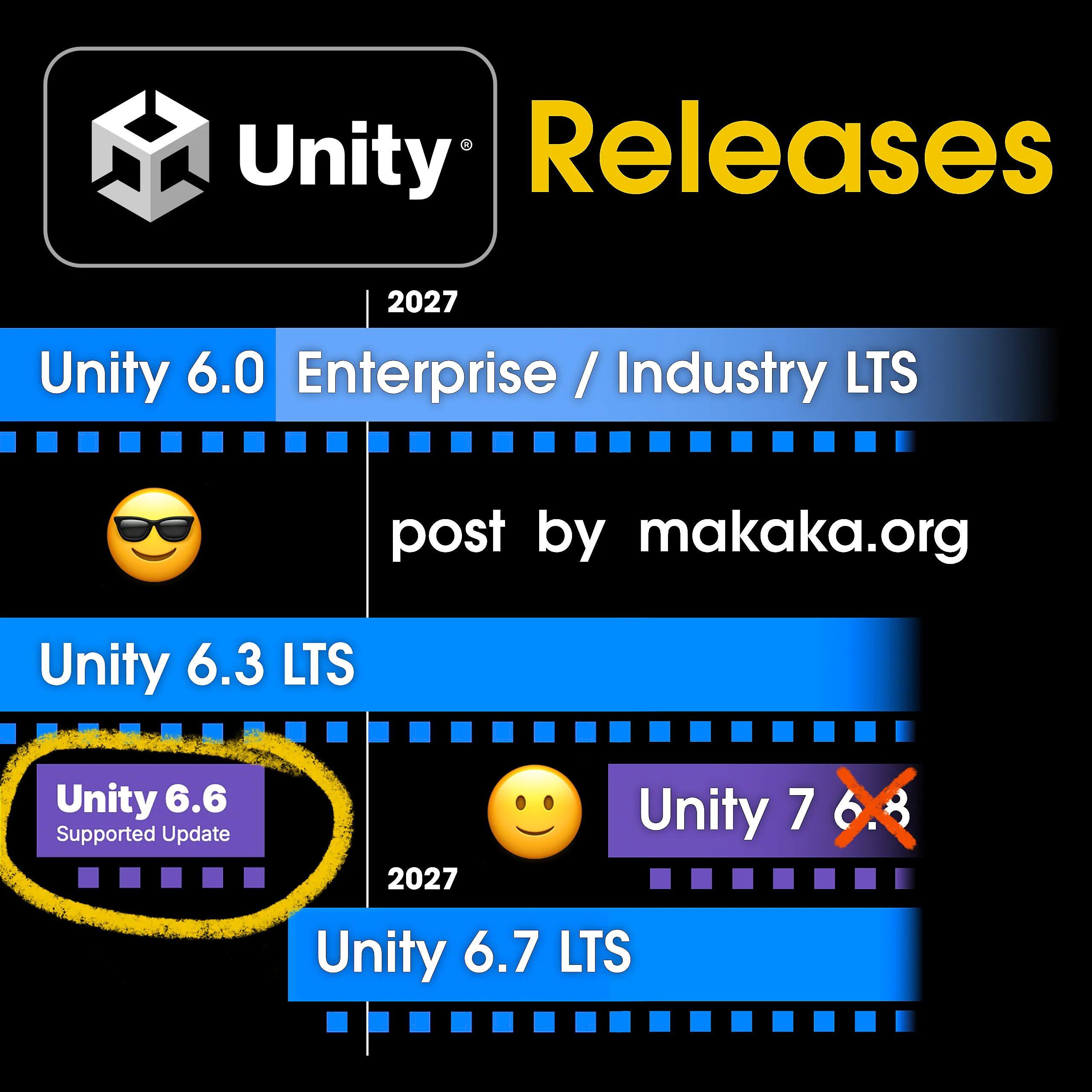
1. On the one side, Unity 6.3 LTS is recommended for production as any other LTS version — it’s been like this for many years now. LTS conditions:
- Released once a year.
- Supported for 2 years (until December 2027).
- Additional year of support for Enterprise & Industry users.
- Regular patches for bug fixes, critical platform updates.
With the release of Unity 6.3 LTS, Unity 6.2 is no longer supported.
2. On the other side, Unity wants Devs to test the new 6.6 version, so Hub recommends 6.6, but the support period is significantly less and in version 6.7 LTS some features and APIs that appeared in 6.6 can be removed, and it’s legal.
That’s the point of “Supported Updates” like 6.4, 6.5, and 6.6 — that were formerly known as “Tech Streams”.
They give you the option to use all of the latest in-progress features and updates. These versions are intended for pre-production, prototyping and experimentation, before committing to full project development. Conditions:
- Multiple Update releases a year
- Supported until the next release is published
- Same level of support as LTS with weekly patches
- Fully production-ready with the same QA testing as LTS.
If you are already in production or close to launching your project, then the Best Unity Version for you is Unity LTS 6.3 (or 6.7 LTS) that provides predictable behavior, consistent updates and features, maximum stability, and optimum performance.
Even the Unity Asset Store doesn’t provide any indications for LTS versions and recommendations as well, leaving users in the dark.
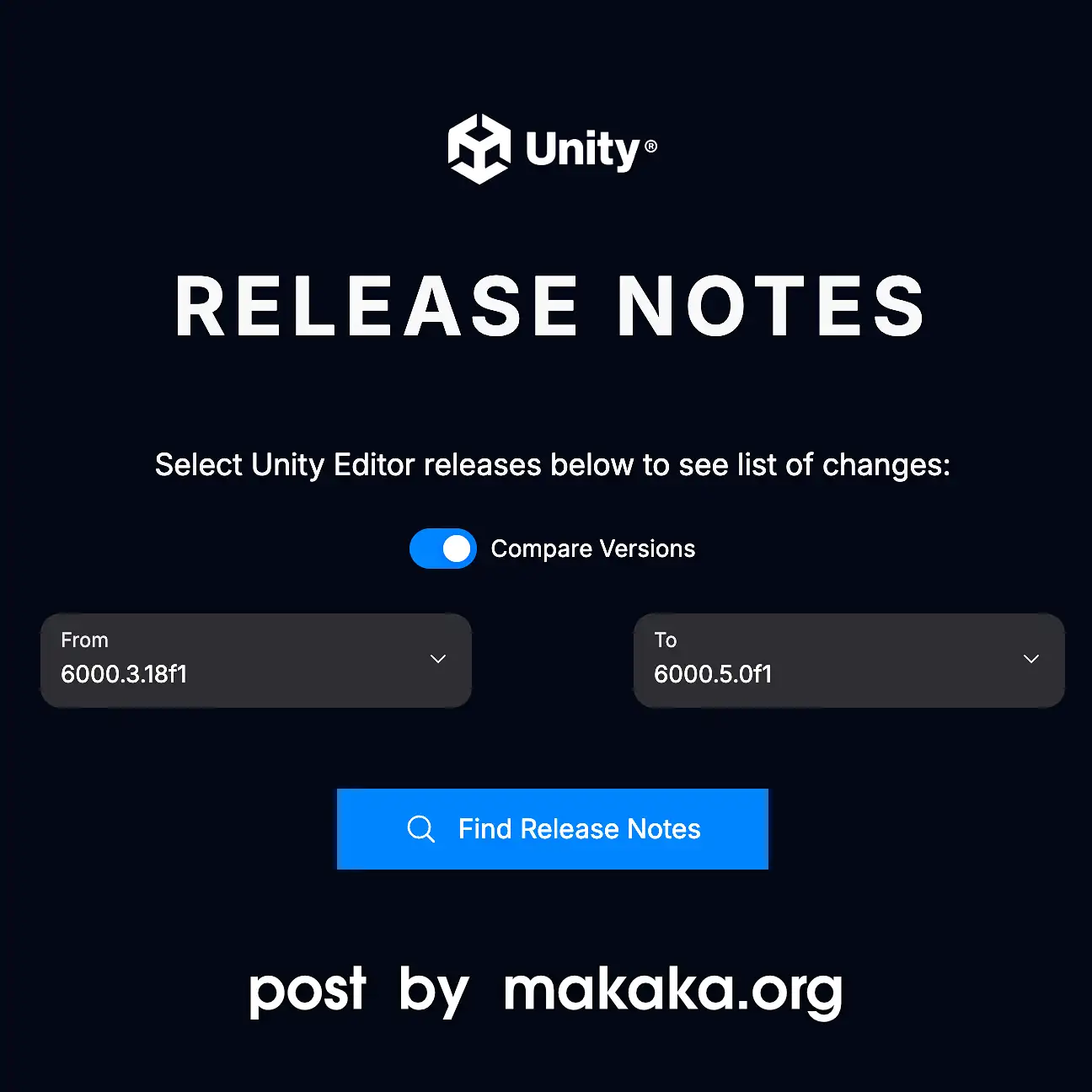
Compare Unity Versions with Release Notes
For years, Unity has been silently updating the web service called Unity Release Notes, and I recently noticed new filtering options:
- Topics (categories such as different parts of the Unity Engine),
- Types of Changes (Added, Updated, Fixed, Changed, Deprecated, Improved, Known Issues, etc.).
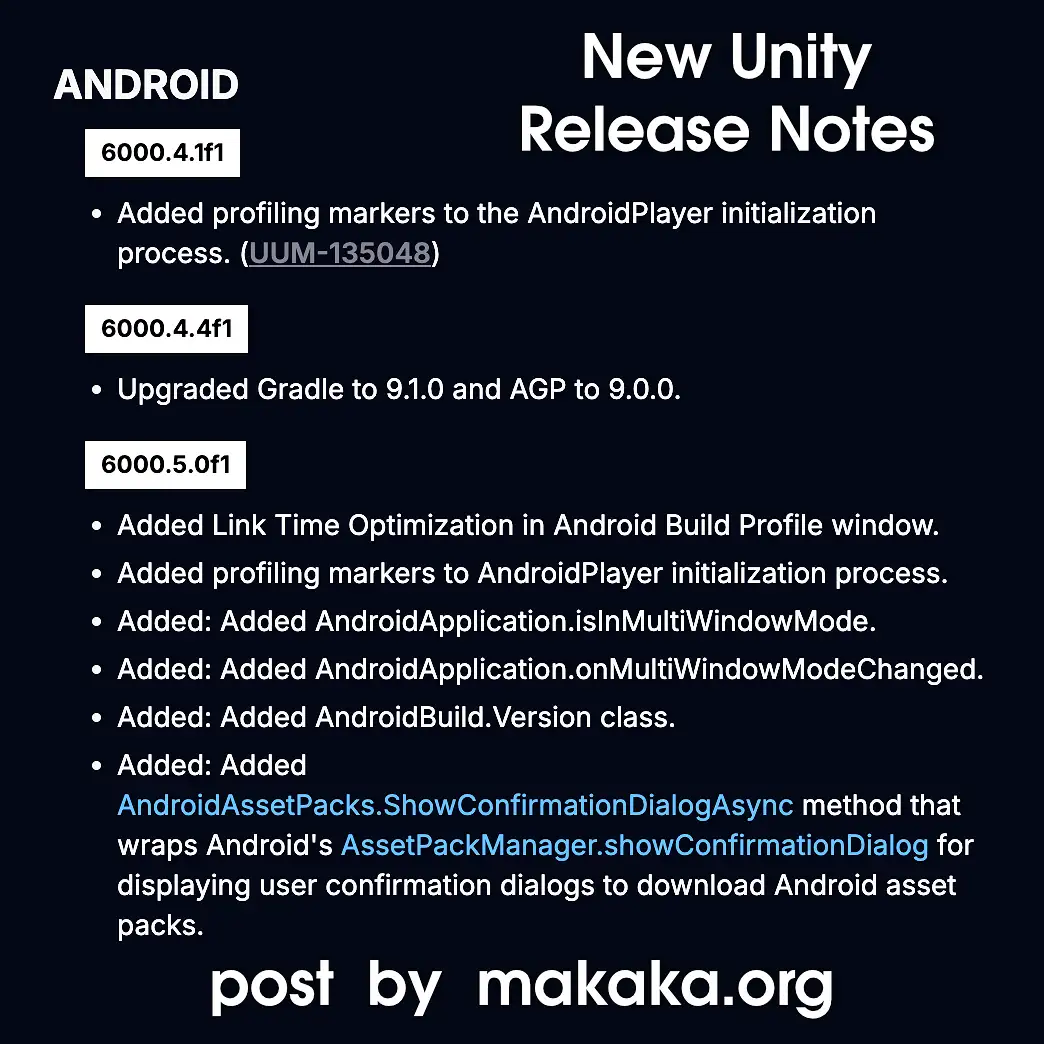
Unity Release Notes let you compare releases and see what has changed between Any Unity Versions.
Selecting a Version on Unity Learn
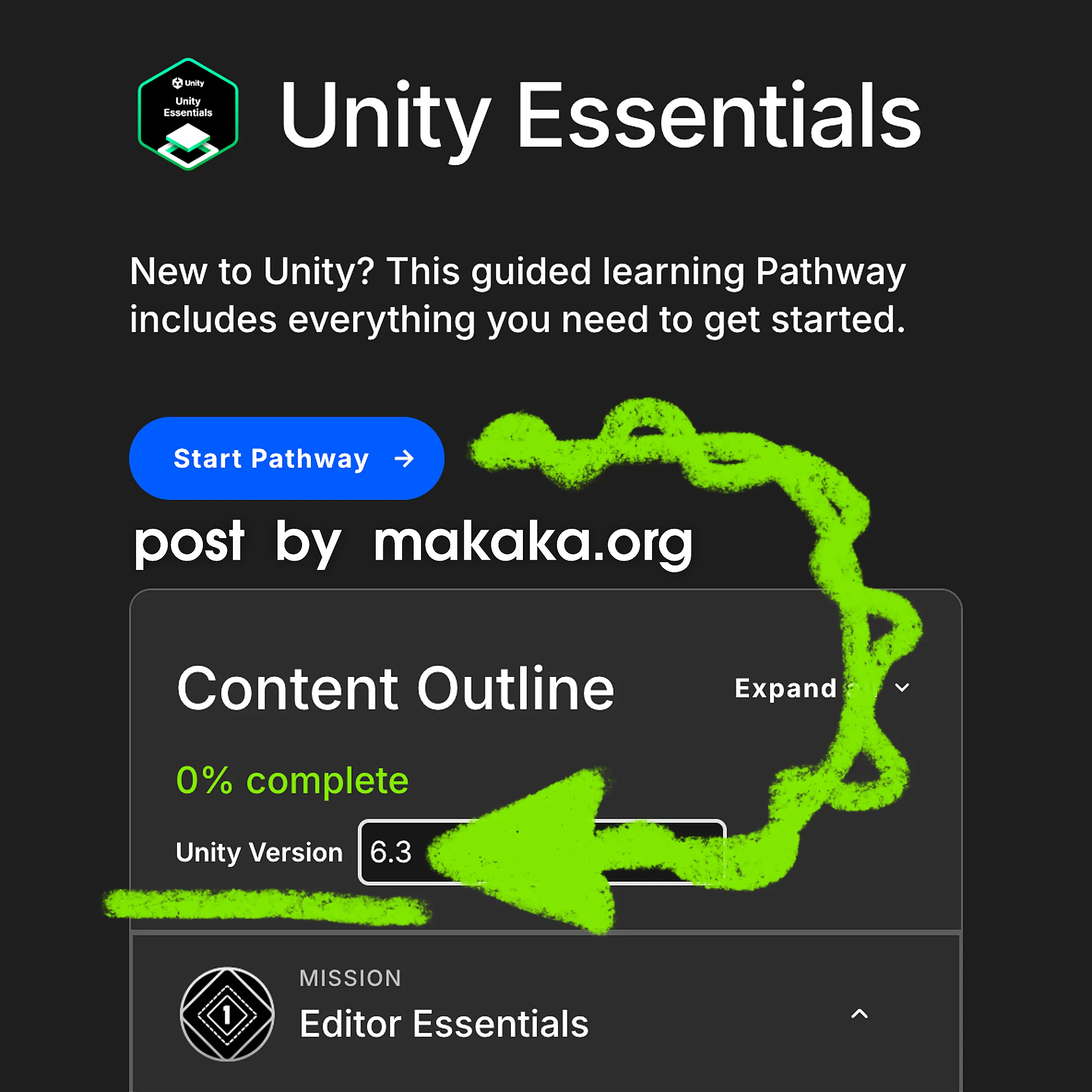
Developers use Unity 6.6 to take the Unity Learn course because Hub currently recommends it as the Best Unity version. Then they complain when something doesn’t work — and that’s not surprising.
The latest version Unity Essentials Pathway (for example) is intended for is Unity 6.3 LTS. You must select this version on Unity Learn for the course and use the same version in Unity Hub to successfully complete it.
Verifying the course for a new Unity version is a lengthy and demanding process. As you may have noticed, only LTS versions are available in the version selector (2022.3, 6.0, and 6.3) for this Pathway. Therefore, the next possible version will be Unity 6.7 LTS, which is expected to be released later this year.
Unity Versions for Asset Store Users and Publishers
It’s impossible to discuss Unity Versions on the Asset Store without considering both Users and Publishers. While some aspects are specific to each group of developers, understanding the overall picture is crucial.
There are Official Statistics from June 2026 showing Unity Version Popularity among paid Unity Asset Store users. The data was taken from the Publisher Section on Unity Discussions and redesigned by me. LTS versions are the most popular.

Multiple Unity Versions
Do you see multiple Unity versions on the Asset Page? Be careful with them:
- 2022.3.62,
- 6000.3.8.
Let’s suppose that asset was uploaded with these Unity versions. What does that really mean for you?
- It is most likely that you will receive the latest version only with the newest version of Unity listed, because the publisher needs to manually upload the package with every Unity version in the list provided, but most of them don’t bother about it.
.
So, in my assets I prefer to support the latest LTS (Long-Term Support) version only (like 6.3 LTS, which equals 6000.3.x) until the direct ask happens about another Best Unity Version for a specific user.
.
Even if your Old Unity Asset still works in the latest Unity version, that’s not a reason to leave it outdated on the Unity Asset Store. By uploading your asset with the currently recommended LTS Unity version (6.3 LTS for now), you improve its search ranking on the Asset Store and increase your chances of getting invited to sales. - If you download into Unity 6000.3.8 or higher, 6000.3.8 package will be used.
.
If you download into Unity 6000.3.7 or lower, 2022.3.62 package will be used.
.
Just tested it again in 2026, and it’s still relevant. This is absolutely a bad experience because 6000.3.8 may be compatible with 6000.3.7 – it’s not a big deal because meta data in Unity is not changed often, and so on. All that is said above is related to .unitypackage files.
.
On the other side, the new backend of the Unity Asset Store is in the works as well as UPM publishing that is in Early access for now. “Unity Package Manager” publishing allows you to download the version of the package that you really want independently of the Unity version, as I could test with the Asset Store UPM Publishing Tools asset using the “Version History” tab when downloading in Unity. UPM publishing is not suited for most of my assets because:- They contain Git-dependencies that are ignored (not included in the Package Manifest) when uploading to UAS.
- Imported data is placed in the “Packages” folder instead of “Assets” — meaning that the data should not change, which is suitable for Tools, Utilities, SDKs, and not for Complete Projects, for example.
Time will tell if it will be convenient, and maybe the UAS policy will change regarding dependencies from Git repos, providing may be additional “Warning” window about safety.
Anyway for every my asset, I provide a “Getting Started” Tutorial to Import correctly.
Release Notes — Features and Changes
Unity 7 (or 6.8)
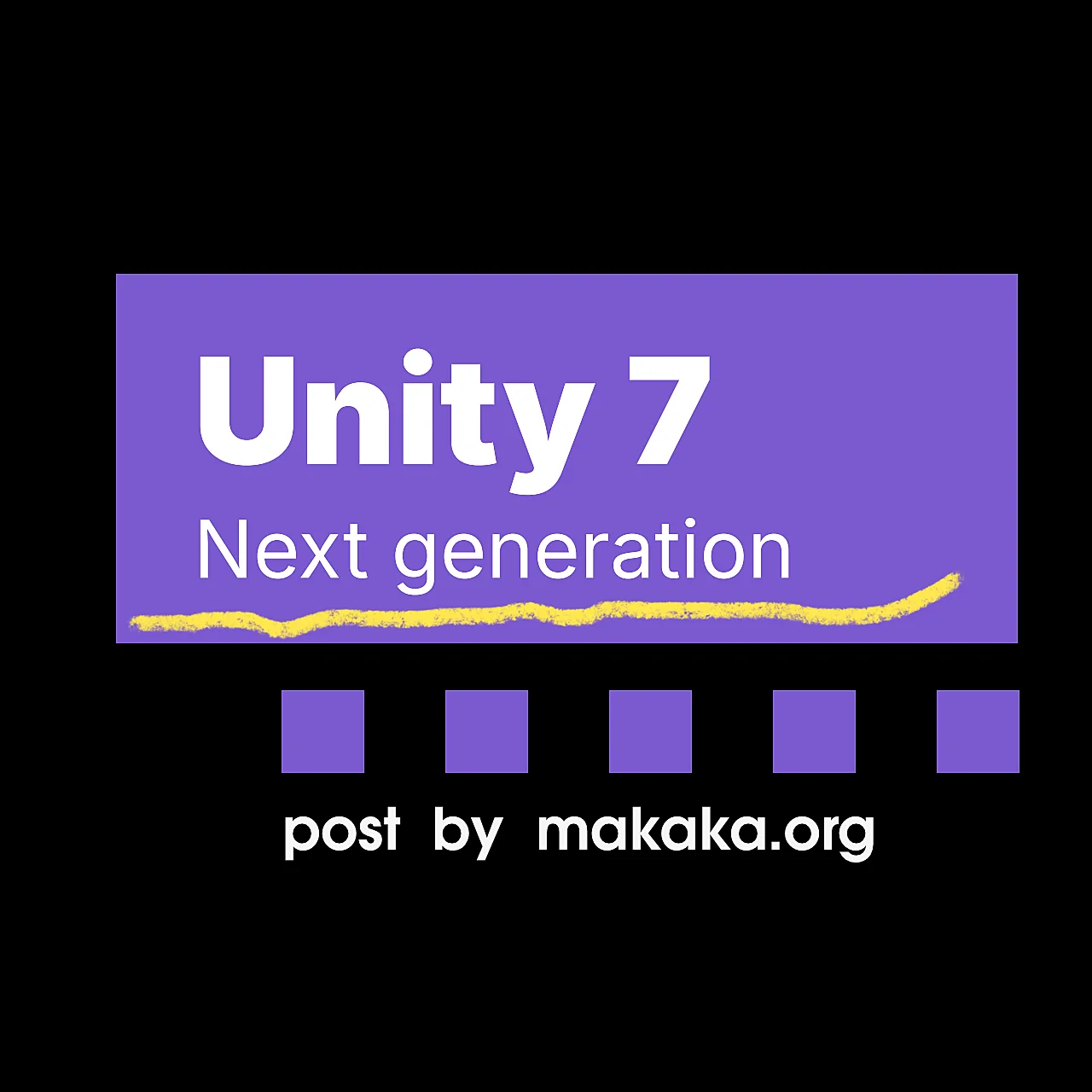
The Unity 7 version is actually Unity 6.8, as we could see in the previous Implementation Roadmap of CoreCLR. Moreover, we have an official comment clarifying the versioning below. However, it’s not yet clear whether it will be called Unity 7.0 LTS, as Unity currently uses the “Unity 7 Generation” or “7.0” naming…

- Plan Around the Release Date:
The Beta is coming in December 2026, with the Full Release scheduled for Q1 2027. - Update with Confidence:
There are No Breaking Changes between Unity 6 and 7 (direct continuation of Unity 6 architecture, offering an upgrade path with zero rebuilding). It’s built on a New Foundation that has been introduced incrementally throughout the 6.x releases, as stated at the Unite Conference. Choose the Best Unity Version today. - Create Faster:
Modernized CoreCLR foundation with a near-instant Play Mode and up to 90% faster shader builds. Dynamic Reloads mean that when you change code, Unity reloads only what has changed. No Need to Wait for Unity 7 — Edit Code Without Compiling today. - Ship Sharper Graphics with New Supercharged URP:
Richer, realistic lighting via Surface Cache GI across all Unity-supported devices. HDRP is deprecated in favor of Supercharged URP, which was introduced in Unity 6.7 LTS. Scriptable Render Pipeline (SRP) will remain fully live and active. If you need to go beyond URP’s extension points, you can still fork URP or build your own custom SRP.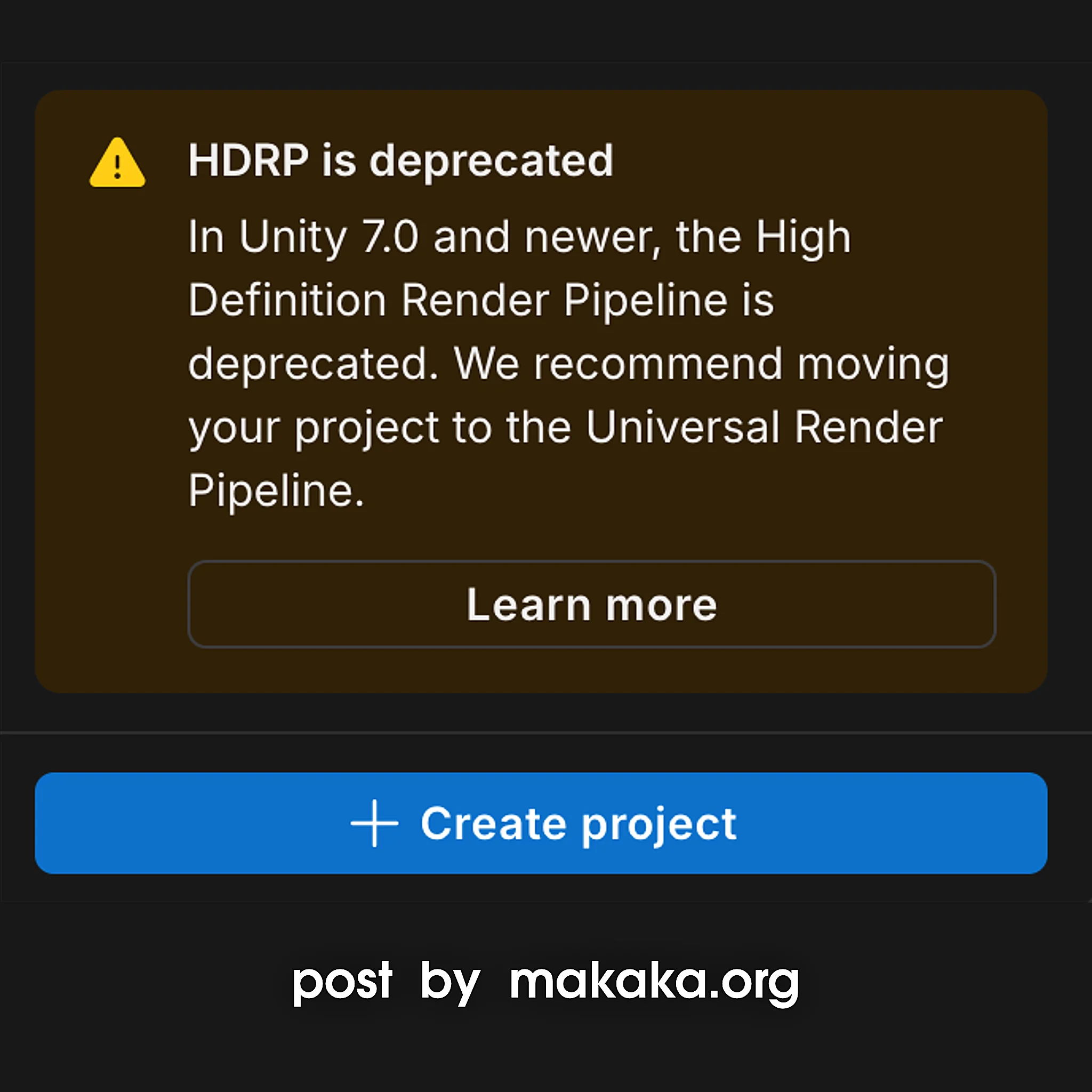
- Grow and Monetize Smarter:
Built-in Unity Vector tools, native webshops, and direct-to-consumer IAP to scale efficiently.
Unity 6.7 LTS
Unity 6.7 LTS will be released later this year of 2026 (I believe it could be November). No specific ETA was announced.
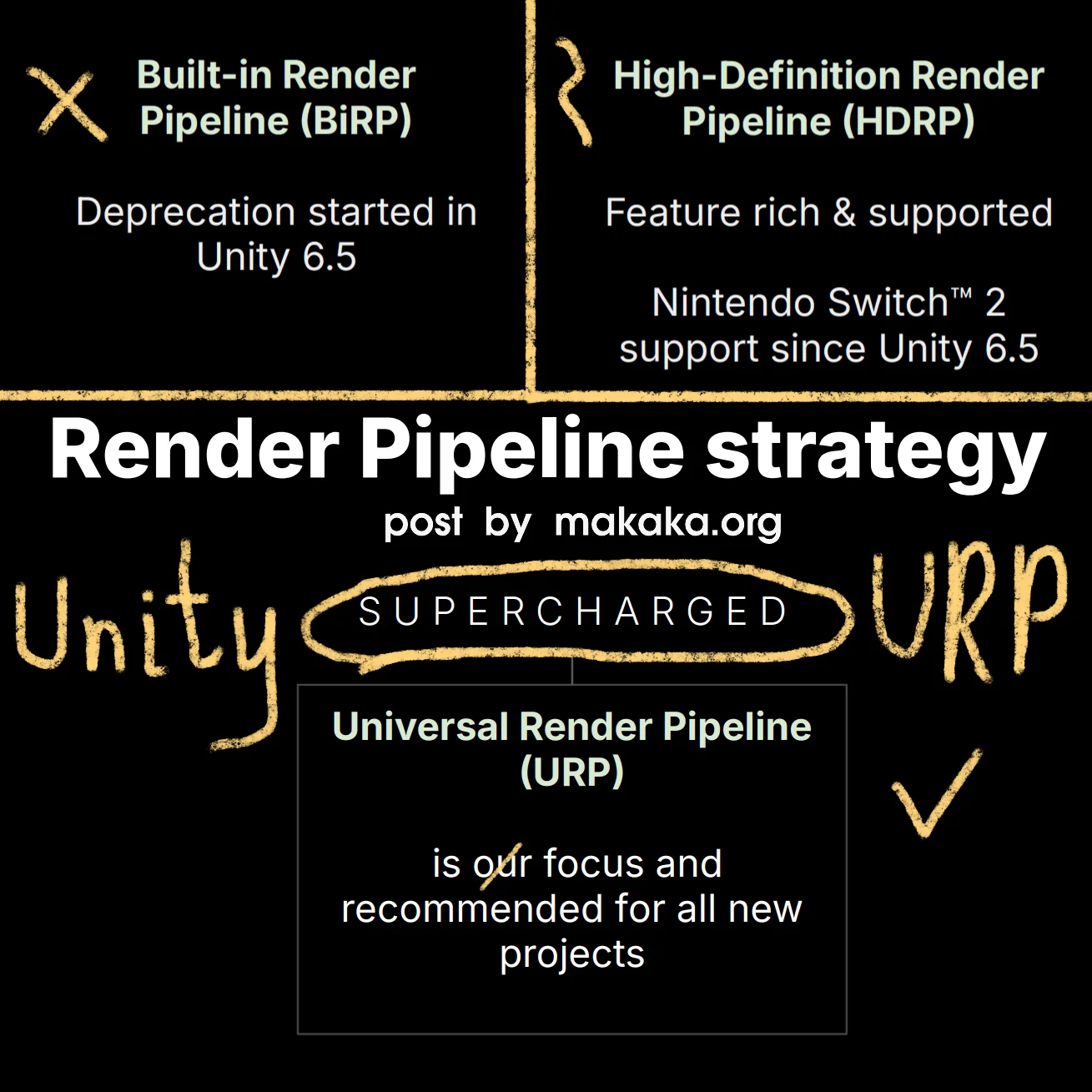
Supercharged URP is our Future in 6.7+. Now we have a Single Authoring Experience with faster iteration times and stunning performant graphics deployed across the widest range of devices possible. It’s a New Foundation that will be based on URP + HDRP. Previously it was called Unified RP.
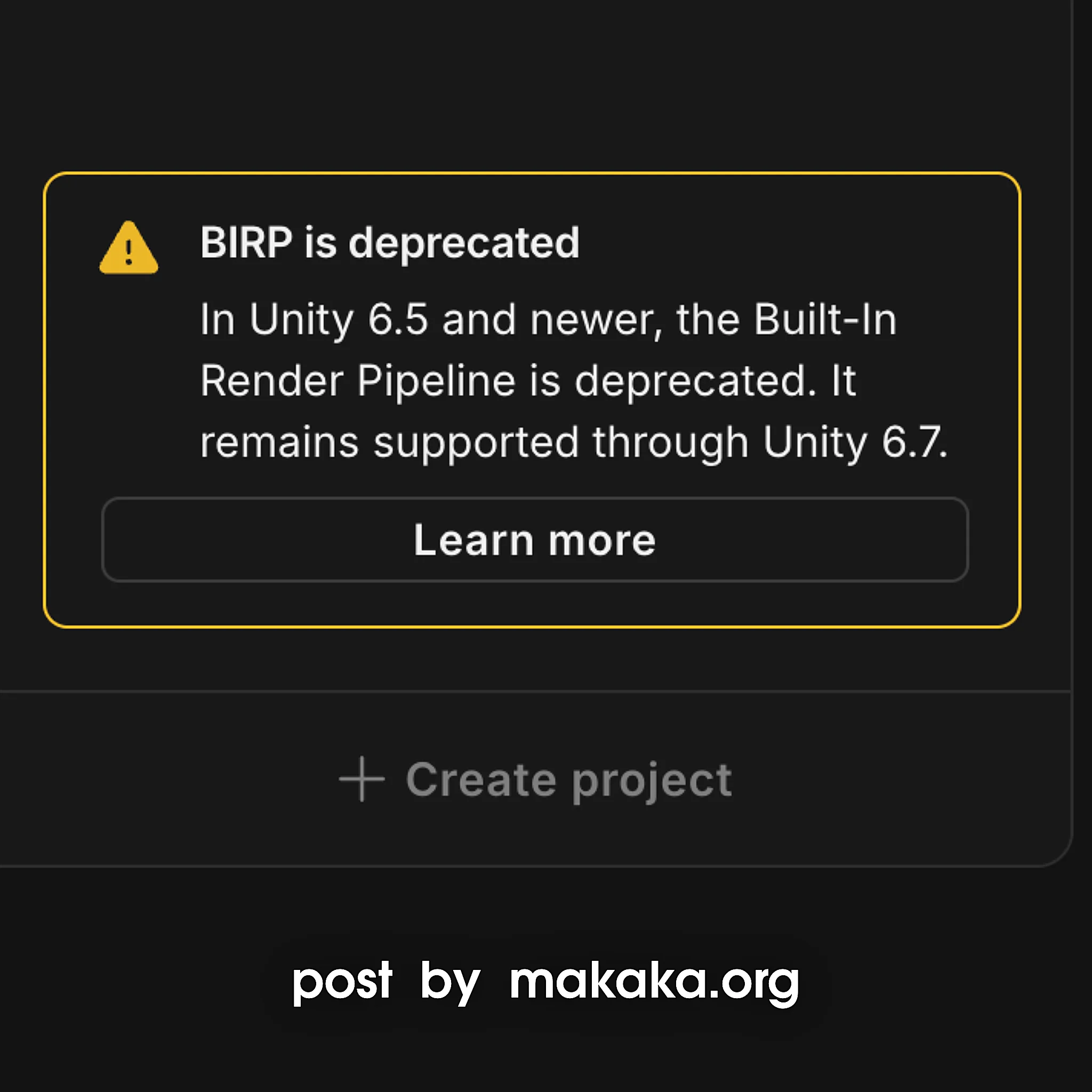
Unity 6.7 is the last version for the Built-In Render Pipeline. Those great-looking shadows out of the box are gone forever.
Sneak peek on Supercharged URP:
- Surface Cache Global Illumination (SCGI).
- Screen Space Reflections (SSR).
- Ground Truth Ambient Occlusion (GTAO).
- Physical Light Units, Auto-Exposure.
- Physically-based Sky, Atmospherics, Volumetric Fog.
- Upscaling for all.
- Shader compilation improvements.
- Fast Build Profile.
- ML Graphics.
- Neural Texture Compression.
- Neural Rendering Framework.
Unity 6.6
Unity 6.6 is currently the Best Unity Version for New Projects, and it was released on September 1, 2026. Here are the Key New Features:
- Path to CoreCLR, .NET 10, and C# 14 (foundational changes to future-proof the engine):
- Fast Enter Play Mode by Default (Unity 6.6 will be the first step on this path, and the goal for the Unity 7 generation (at least in its first releases) is simply to achieve feature parity with what Mono currently provides — while also enabling faster iteration times). Static Variables are no longer cleaned up when Restarting Play Mode.
- Unity UI (uGUI) is still alive:
- New Safe Area component (screen notches, cutouts, rounded corners, gesture areas).
- SRP (URP/HDRP) compatible TMP (TextMesh Pro) Shaders.
- Zero Allocation Text Updates.
- Enhanced Layout Options (Max Width/Height on LayoutElement).
- RectTransform Fitting (checks whether RectTransforms are coplanar).
- Roadmap:
- Improve Performance & Scalability.
- Modernize Features.
- Support Existing Workflows.
- UI Toolkit — Visual Effects:
- Backdrop Filters: blur, tint, grayscale, brightness, contrast, opacity, invert, sepia, hue rotate. E.g., you can create Frosted Glass (blur + tint) or UI over UI (blur).
- Filter: Drop Shadow.
- Mesh Modification (vertices and indices, additional channels, replacing geometry completely). E.g., Gradient Fill, Animated Text
- Faster, More Flexible Hierarchy:
- Efficiently Handles Millions of Entities.
- Visual Indicators (icons) for Game Objects.
- Customizable Columns.
- Horizontal Scrolling.
- Engine Performance (the Road of ECS for All — improvements for Entities Workflows and Serialization) — TL;DR: Game Objects won, but Entities will Drive Game Objects:
- Hierarchy Support for Entities.
- Multi-Threaded Memory Allocation.
- Lightweight Modern Logging System.
- Dictionary Serialization.
- Build and Runtime Size optimizations for iOS, Android and Web. Build Profiles > Target Platform > Code Optimization > Disk Size or Disk Size with LTO.
- Web Platform:
- WASM 64 (WebAssembly64) increases Available Memory from 4GB to 16GB.
- WebGPU reaches Production Readiness, bringing Next-Generation Graphics to the Web (Compute Shaders, GPU Skinning, Indirect Rendering, and VFX Graph) considering WebGL 2 fallback if it’s not supported.
- Progressive Asset Loading (assets downloaded per scene, with smaller initial download).
- 2D:
- Rendering Layer Mask Support:
- More Control over Which 2D Lights Affect Specific Layers (independently of Sorting Layers),
- Minimal Performance Overhead.
- Compute Light Baker (generate lightmaps, light probe data, and anything for adaptive pribe volumes).
- GPU-skinned Sprites and Cast Shadows.
- New Sprite Mesh Triangulation (Delaunay subdivision).
- Rendering Layer Mask Support:
- Profiler Features:
- Screenshots,
- 2D Sprite Skin,
- 2D Animation,
- 2D Tilemap,
- 2D Graphics,
- Physics Core 2D,
- Pin to Top,
- UI Toolkit and UI Toolkit Details.
- Road to Content Directories — the Modern Backbone for Unity Content:
- Smaller, Faster, Incremental Builds.
- Lower Memory Usag.
- Async, Multithreaded Loading.
- Powered by High-Granularity Content Processing.
- Opt-in for existing Addressables Users, No Code Changes.
- Local Content Directory.
- Unified Build Analysis UI and History window.
- Windows and Xbox Series X|S platforms can use Content Directories combined with DirectStorage can improve read speeds by up to 40%.
- The Overall Strategy for Future Updates — Only What is…
- Changed is Rebuilt,
- Used is Loaded,
- Needed is Downloaded.
- Shader Graph & VFX Graph workflow:
- Creating Shader Graph from VFX Graph.
- Promoted Properties and Keywords from a Shader Graph to VFX Graph.
- Deprecated Subgraphs.
- Preprocessor Directives in Graph Settings (Pragmas, Graph Includes, and Local Defines).
- Shader Graph: Particles templates (Lit & Unlit), 5 New Nodes (Anim Frame, Color, Flipbook Blending, Texcoords, and Transforms).
- Shader Compilation Improvements:
- Shader and PSO (Pipeline State Object) Pre-Caching:
- Improve Shader and PSO Coverage with Graphics State Collection.
- Codeless Tracing and Warmup using Editor’s Graphics Settings.
- Shader Build Settings — Modernized DX12 shader compiler:
- Configure Target Shader Compiler.
- Project-Wide DXC Shader Compilation.
- Optimize Shaders with Shader Model 6.
- Support for Modern GPU Profiling Tools.
- Conversion of Compatible Keywords to Dynamic Branches to Dynamically reduce the shader variant count.
- Faster Shader Build Times:
- Codelessly Strip Shader Variants.
- Set Shader Defines and Optimize.
- Shader and PSO (Pipeline State Object) Pre-Caching:
- XR Platforms (OpenXR Adaptive Performance and OpenXR Hand Tracking Extensions):
- Improved Migration from Controllers to 3D XR Hands.
- Graphics Performance Improvements including Shader Optimizations.
- New Spatial Audio (Higher-Order Ambisonic Audio).
- Android Improvements:
- Gamepad Rumble,
- Profileable Shell,
- Minimum OpenGL ES raised to 3.1,
- Adaptive Android Icons Only.
- Apple (New Swift Unity APIs).
- Graph Toolkit and Debugging Tools:
- Animated Wires and Node Progress to Visualize Execution Flow in Real Time.
- Port Previews surface Runtime Values directly On the Graph.
- Inline Error, Warning, and Info Markers, with Actionable Fixes.
- New APIs for Node Authoring with USS node styling, configurable port capacities, connection flags/rules, flag enums, custom graph toolbar actions, and programmatic node icon changes.
- Unity Core Standards – Package Trust System and Transparency:
- Bringing Trust Signals to existing .unitypackage workflows.
- New Selection History (move back/forward through up to 50 selections).
- Animation Window (Search Box).
Comments
Let’s Discuss This Post in the Comments on LinkedIn (main) or YouTube.